
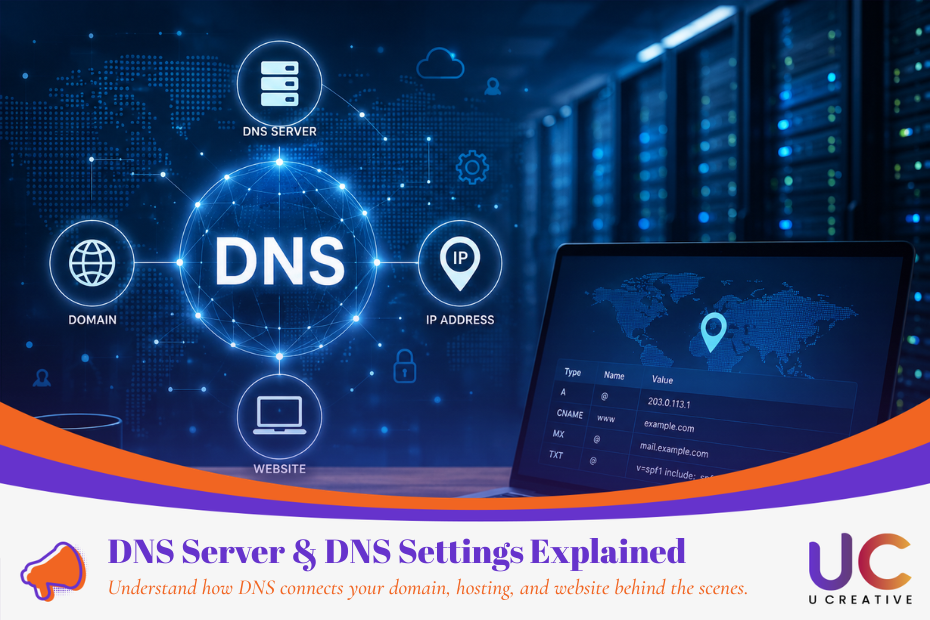
DNS settings may sound technical, but the basic concept is straightforward. If your domain isn’t connecting to your website, email, or hosting server correctly, the problem is often related to your domain’s DNS settings, nameservers, or DNS records.
This guide explains what a DNS server is, how DNS works, how to point a domain to hosting in Malaysia, and how long DNS propagation takes.
What Is DNS?
DNS stands for Domain Name System. It translates human-readable domain names such as example.com.my into IP addresses that computers use to locate servers.
Think of it this way:
- Domain name: the easy-to-remember name of a website
- IP address: the network address of the server
- DNS: the system that connects the two
For example, when someone enters your business domain into a browser, DNS helps determine which server should receive the request.
This is especially important when you change website hosting providers, migrate a website, connect a new domain, or configure business email.
How Does DNS Work?

When a visitor enters your domain, several systems work together to find the correct server.
Step 1: Check DNS Cache
The browser, operating system, or DNS resolver first checks whether it already has a valid cached result. If it does, the website can be reached without repeating the full lookup.
Step 2: DNS Resolver Searches for the Domain
If no valid cached record exists, the recursive DNS resolver begins looking for the correct information.
It can consult the DNS hierarchy, starting with a root nameserver, then the relevant Top-Level Domain (TLD) nameserver, such as the servers responsible for .com or .my. Root servers normally provide referrals that direct the resolver to the next appropriate DNS server.
Step 3: Authoritative Nameserver Responds
The authoritative nameserver stores the domain’s DNS records and provides the required answer, such as the IP address associated with an A record.
Step 4: Browser Connects to the Website Server
Once the browser gets the IP address, it can connect to the website server and request the page.
The DNS result may also be cached temporarily to speed up future requests.
Main Types of DNS Servers
Four components commonly appear during DNS resolution:
| DNS Server | Role |
| Recursive Resolver | Receives the user’s DNS request and searches for the required answer. |
| Root Nameserver | Directs the resolver toward the appropriate TLD nameserver. |
| TLD Nameserver | Handles extensions such as .com, .org, or .my and points toward the relevant authoritative nameserver. |
| Authoritative Nameserver | Stores the domain’s DNS records and provides the final DNS answer. |
For Malaysian businesses using domains such as “.my” or “.com.my”, MYNIC is the official registry for “.my” domains. Registration is available through MYNIC-appointed registrars.
How to Configure DNS for a Website in Malaysia?

If you’re looking to point a domain to hosting, the setup is usually straightforward.
1. Open Your Domain DNS Settings
Log in to the company that manages your domain or DNS. This may be your domain registrar, hosting provider, or a DNS service such as Cloudflare.
For .my domains, you may have purchased your domain through one of MYNIC’s appointed registrars.
Look for options such as:
DNS Management → DNS Zone → Manage DNS Records → Nameservers
The exact wording depends on your provider.
2. Add the Required DNS Records
Your web hosting provider will usually give you the DNS information you need to connect your domain.
Common records include:
A Record
Connects a hostname to an IPv4 address.
Example:
example.com.my → Web Server IP
This is commonly used when you want to point a domain directly to a hosting server.
CNAME Record
Maps one hostname to another hostname.
For example: www.example.com.my → example.com.my
A and CNAME records are among the standard DNS record types used when configuring websites.
You may also encounter MX records for email and TXT records for verification, SPF, DKIM, or other services.
3. Update Nameservers When Required
Some hosting or DNS providers may ask you to replace your existing nameservers entirely.
For example, instead of managing individual DNS records at your registrar, you may point the domain to Cloudflare or your hosting provider’s nameservers and manage the DNS zone there.
Before changing nameservers, make sure you’ve copied important website and email records correctly. Incorrect nameserver changes can cause both your website and business email to stop working.
How Long Does DNS Propagation Take?
After changing a DNS record, the update may appear quickly for some users but take longer for others because DNS information is cached across different resolvers.
One important factor is TTL (Time to Live).
TTL controls how long a DNS record can remain cached before a resolver needs to retrieve updated information. A longer TTL can therefore keep an old record visible longer after a change.
In practice, some changes may become visible relatively quickly, while others can take considerably longer depending on:
- TTL settings
- resolver and ISP caching
- the DNS provider
- nameserver changes
- existing cached DNS records
Instead of assuming that every DNS change requires exactly 24 or 48 hours, use a DNS propagation checker or query the record directly to confirm whether the new value is already being returned.
💡Tip Before Migrating a Website
If you are planning to move your website to a new hosting provider, consider lowering the TTL before changing the server IP.
Once existing cached records expire, a shorter TTL helps subsequent DNS changes reach users faster.
DNS Records vs 301 and 302 Redirects

This distinction is important when configuring a website.
a) DNS Pointing
DNS tells the internet which server or service a domain should connect to.
For example: yourcompany.com.my → hosting server
This is normally configured using an A record, AAAA record, CNAME, or nameserver settings.
DNS itself does not perform a normal webpage 301 or 302 redirect.
b) 301 Permanent Redirect
Use a 301 redirect when a webpage or website has permanently moved to another URL.
Example: oldwebsite.com.my/page → newwebsite.com.my/page
It is commonly used during:
- website migrations
- domain changes
- URL restructuring
- HTTPS or preferred-domain consolidation
For SEO migrations, correctly implemented permanent redirects help search engines understand that the old URL has moved.
c) 302 Temporary Redirect
A 302 redirect is intended for temporary URL changes, such as short-term campaign pages, maintenance situations, or temporary routing.
If the change is intended to remain permanently, a permanent redirect is usually more appropriate.
DNS Troubleshooting: Why Is My Domain Not Connecting?
If your website does not load after changing its DNS settings, check these areas first:
- Confirm that your A record contains the correct hosting IP.
- Check whether the www version requires a CNAME.
- Confirm that the domain is using the correct nameservers.
- Check whether old DNS records are conflicting with the new setup.
- Verify that DNS propagation has completed.
- Make sure the website is correctly configured on the hosting server.
If DNS resolves correctly but the website still doesn’t load, the issue may be related to the hosting server, SSL certificate, web server configuration, firewall, or website application rather than DNS.
DNS Settings Malaysia: Getting Your Domain Connected Correctly
DNS links your domain name to your website hosting infrastructure. For most Malaysian business websites, the most important settings to understand are nameservers, A records, CNAME records, MX records, TXT records, and TTL.
Whether you are launching a new .com.my website, changing your website hosting in Malaysia, or migrating an existing website to a new server, correct DNS configuration helps ensure visitors and online services reach the right destination.
If your main goal is simply to connect a domain to a website, you usually do not need to understand every part of the DNS system. Focus on getting the correct DNS records from your hosting provider, entering them accurately, and verifying the results after the change.
FAQ
What is a DNS server and why is it important?
A DNS server translates a domain name into the IP address of the server hosting the website. Without correct DNS settings, visitors may not be able to access your website even if your hosting server is working properly.
How do I point my domain to a website hosting server?
You normally need to update your DNS records, such as an A record or CNAME record, using the DNS management panel provided by your domain registrar, hosting provider, or DNS service.
How long does DNS propagation take in Malaysia?
Some DNS changes may appear within minutes, while others can take several hours or longer. The actual time depends mainly on TTL values, DNS caching, your ISP, and whether you changed individual DNS records or the nameservers.
Do I need to change my nameservers when changing web hosting?
Not always. If you continue managing DNS with the same provider, you may only need to update the relevant A or CNAME records. You usually need to change nameservers only when you want another provider, such as your hosting company or Cloudflare, to manage your DNS.
Why is my website not loading after changing DNS settings?
Common causes include an incorrect IP address, wrong nameservers, conflicting DNS records, DNS propagation delays, SSL configuration problems, or issues with the hosting server itself.
Is DNS pointing to the same as a 301 redirect?
No. DNS pointing connects a domain to a server or service, while a 301 redirect permanently sends visitors from one URL to another. They operate at different levels and serve different purposes.